Blynk Automations 可讓使用者設置觸發條件和相應的動作,以自動執行特定的任務,從而使物聯網裝置的控制更加方便和智能。
此範例為當感測溫度超過 30 度時,發出溫度警示通知。
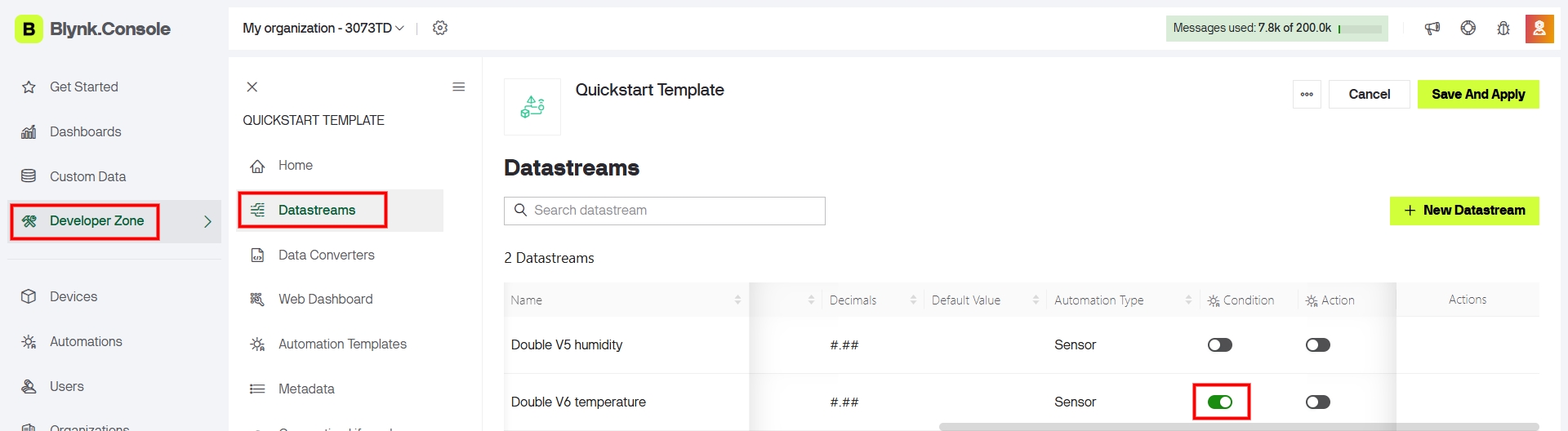
1、啟用 溫度 Datastream V6 自動化 Automations 之 Condition 條件設定。
2、點選左側主選單 Automations 選取 Device State,依據設備狀態 Datastream 的值觸發動作。
.
3、設定溫度超過 30 度之觸發條件,觸發動作為發送 App 通知。(只在條件從不成立變成成立的那一刻觸發,持續成立期間不再重複觸發)

4、自動化 Automations 設置完成後,以卡片形式呈現在 Automations 自動化列表中,卡片上的開關允許啟用/停用自動化。

5、當感測溫度超過 30 度時,Blynk App 出現溫度警示通知。(開啟手機的 Blynk App 通知權限,才能接收 Automation 通知。)


查看自動化日誌 Automation Logs:在 Blynk 雲端平台編輯自動化 Automations 時,可查看自動化的執行記錄,在 Blynk App 中尚無此功能。

